
PMA Malware Analysis VM Setup
11 Dec 2025
Windows XP
The labs in the Practical Malware Analysis book are designed to be used with Windows XP, which turned out to be a bit of a struggle in 2025. After trying a few images, the easiest one to work with that I could find was from https://archive.org/details/xp51_20191108, which also did not require a product key. What a blast from the past! Now I just need to fire up Limewire and download some Staind or something to crank on Winamp.
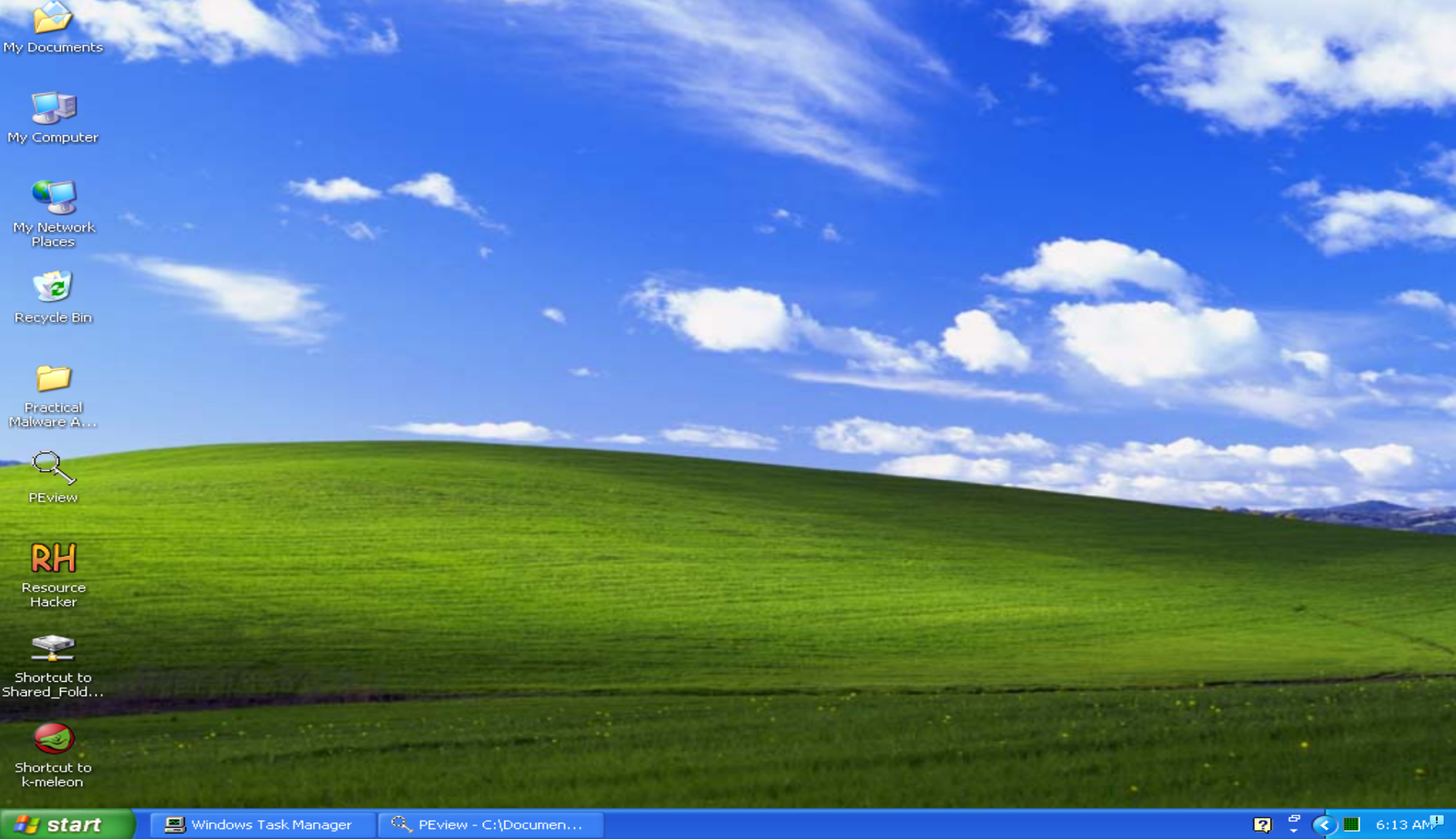
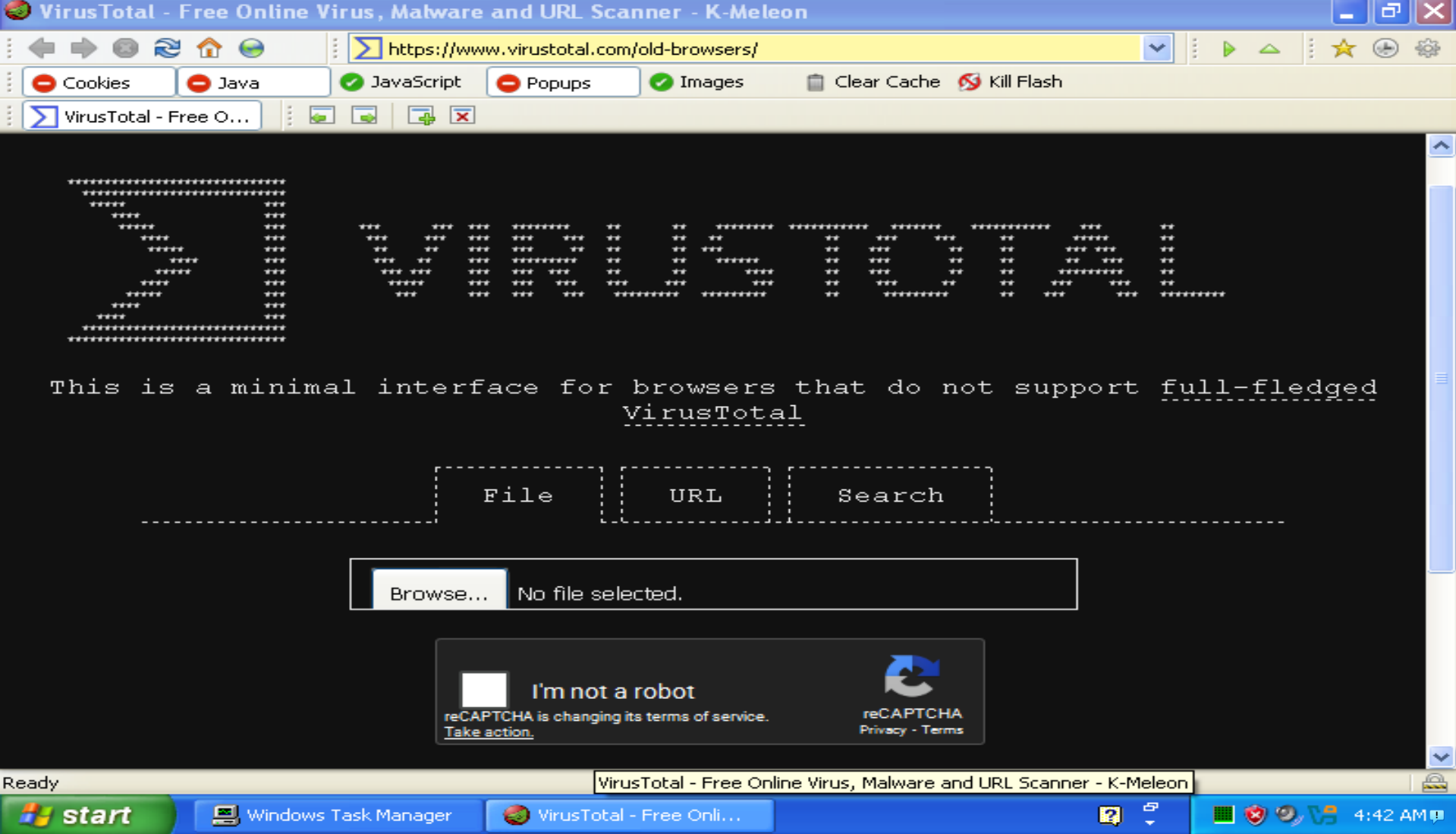
Part of the reason I had so much trouble using Windows XP for these labs is that it only supports TLS 1.0, which makes it incompatible with many modern websites. Even trying to download a compatible browser proved impossible and there is no choice but to set up a shared folder for the VM. However, this problem introduced me to the K-Meleon browser, which is really cool!
OK, now I have PEView, Resource Hacker, and K-Meleon installed, time to get to work on Lab 1! Wait, the first step says to upload the samples to Virus Total, but that doesn't work. No problem, they made a website for older browsers! Nope, they put a Captcha on it, which doesn't work on old browsers 🤦
Ubuntu
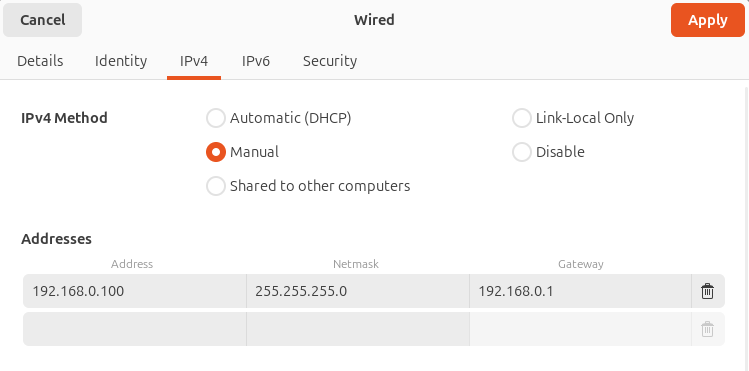
I already had an Ubuntu VM set up for bug bounty and CTFs prior to these labs, and it turned out to be useful for malware analysis as well. To set up this VM to receive network requests from the XP machine, I first installed INetSim then assigned a static IP address:
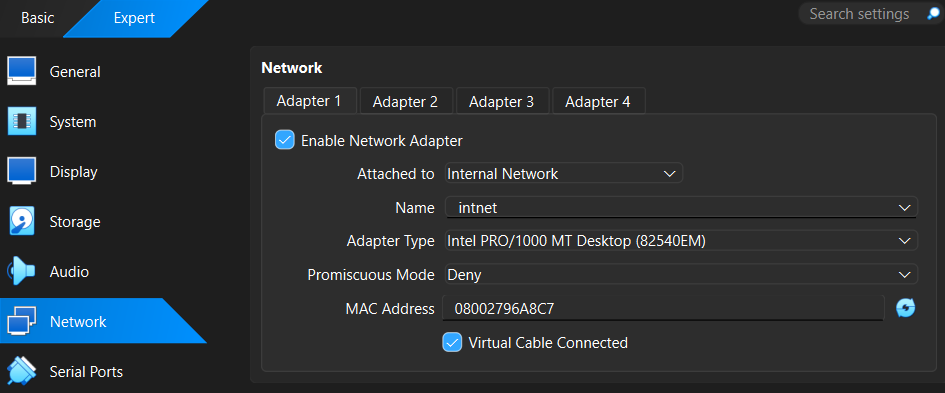
Then for both machines I selected Internal Network for the Virtualbox network adapter and made sure the network name was the same on both:
Windows 10
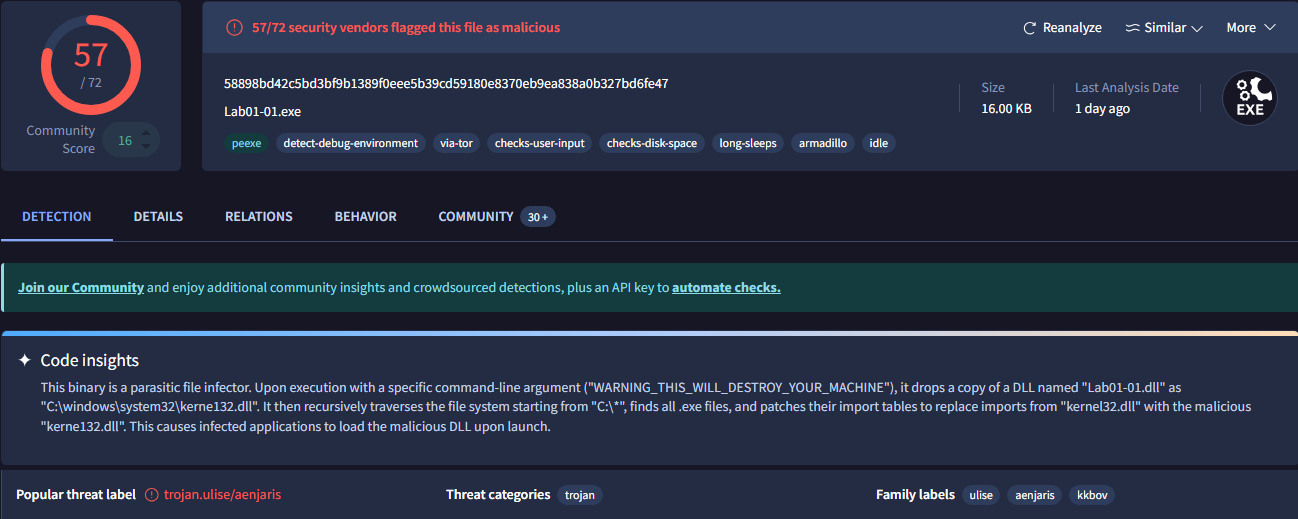
When I reached Chapter 5, I had no choice but to create a VM with a newer operating system. There are no legacy versions of IDA Pro available and Ghidra is 64-bit only. For these cases, I installed a Windows 10 VM, which allowed me to browse modern websites including VirusTotal, install IDA Pro, and even install some modern PE analysis tools like PE Bear. Another upside to this is that once I'm done with the labs in PMA, I can analyze some more modern actual malware samples! I'm actually glad that I was not able to upload to VirusTotal the first time around because it gives away some of the lab answers (I'm assuming it did not do this at the time PMA was written):
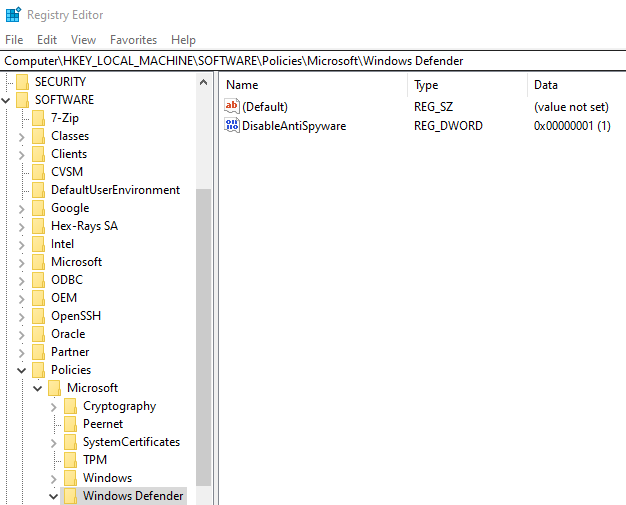
Disabling Windows Defender so that malware samples weren't deleted was another issue. First, Windows Defender and Tamper Protection need to be disabled in the Windows security settings. To prevent Windows Defender from running again on startup, a value with a name of DisableAntiSpyware and the data 1 needs to be added to the registry key HKEY_LOCAL_MACHINE\SOFTWARE\Policies\Microsoft\Windows Defender:
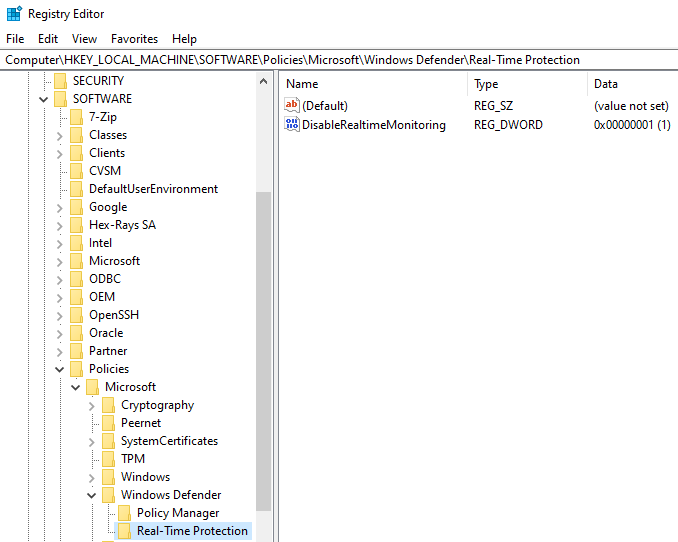
To prevent Tamper Protection from running on startup, a sub-key named Real-Time Protection also needs to be added to this key. Then, a value is added to this sub-key with the name DisableRealtimeMonitoring and the data 1:
Conclusion
The setup for the labs in Practical Malware Analysis gave me some great experience with virtualization. Setting up VMs, shared drives, virtualized networks, and working with the registry are all valuable skills that will be helpful when pursuing roles in this field. I also ended up with a modern VM that can be used to analyze real world malware samples in the future!