
Malware Samples - PMA Chapter 1
11 Dec 2025
The first chapter in Practical Malware Analysis discusses the basics of static/dynamic analysis including the Portable Executable (PE) format, static/dynamic/runtime linking (DLLs), and packing/obfuscation. This chapter introduced some basic tools for static analysis of PE files such as PEView, Resource Hacker, and Dependency Walker. Four malware samples are included to reinforce what was taught in the chapter and gain some familiarity with the tools.
Samples:
Malware Sample 1
The first malware sample consists of one executable and one DLL. We are asked several questions regarding PE file contents to become familiar with their structure and the PEView tool.
Questions:
- Upload the sample to Virus Total.
- When were these files compiled?
- Are there any indications that either of these files are packed or obfuscated?
- Do any imports hint at what this malware does?
- Are there any other files or host-based indicators you could look for on infected systems?
- What network-based indicators could be used to find this malware on infected machines?
- What would you guess is the purpose of these files?
Upload the sample to Virus Total.
Unfortunately none of the samples can be uploaded to Virus total using the recommended Windows XP VM. Even the version of the website designed for older browsers still includes a Captcha, making it incompatible.
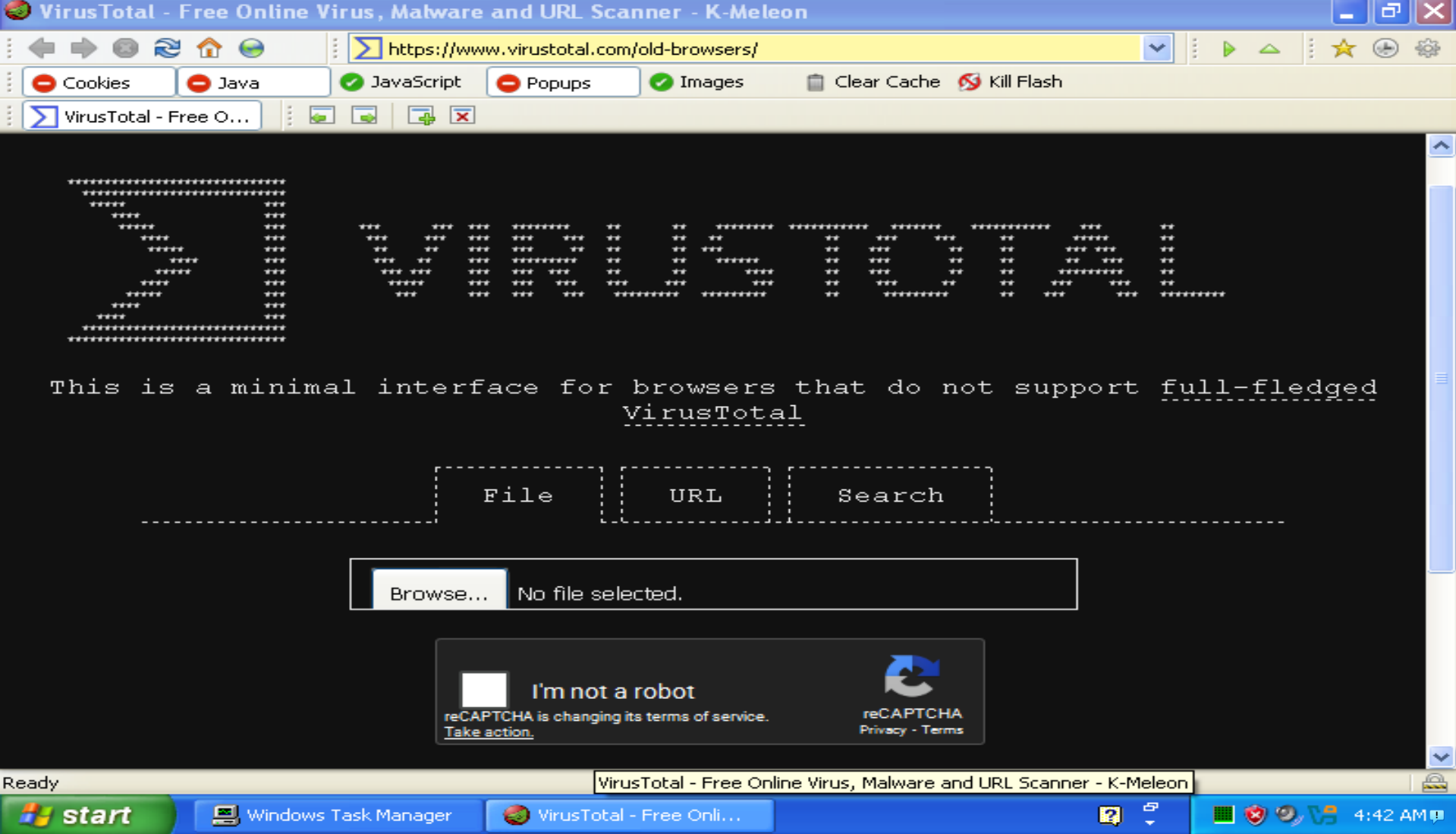
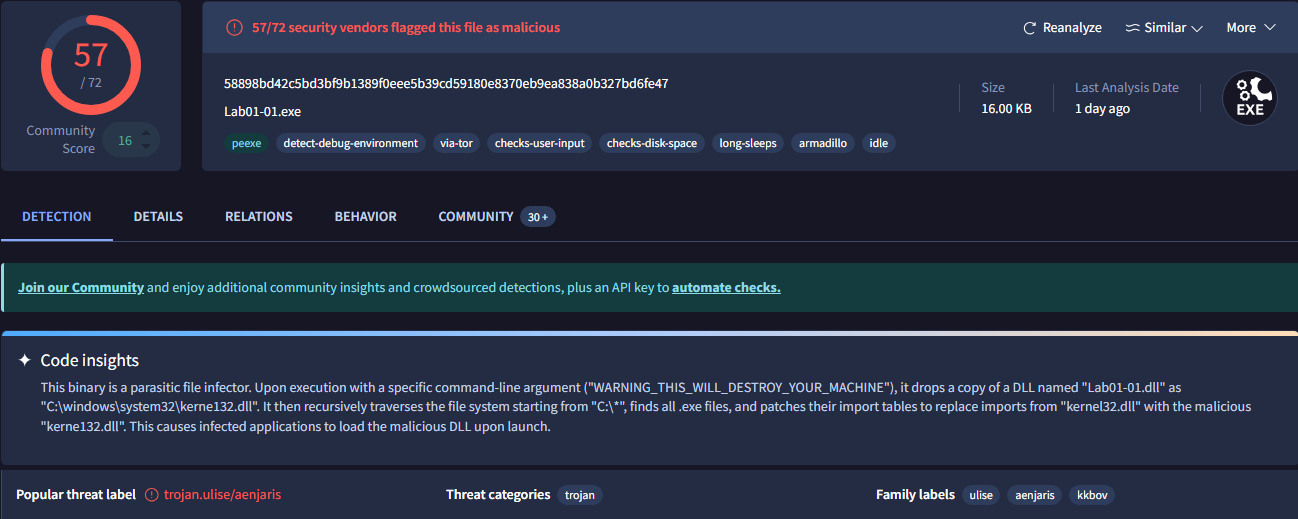
When I reached Chapter 5 I was forced to install a Windows 10 VM to use IDA Pro, so I was able to come back here and upload these samples to Virus Total. The executable was flagged as malicious by 57/72 vendors:
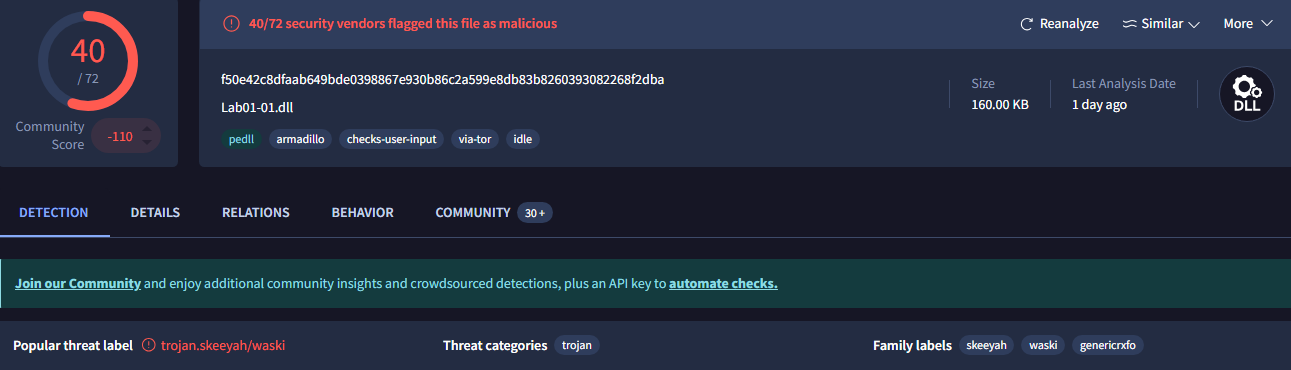
The DLL was flagged by 40/72:
When were these files compiled?
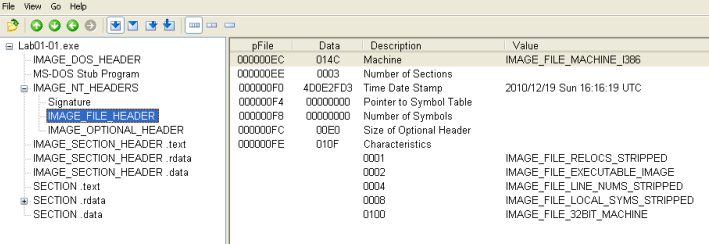
Here I get to use PEView for the first time to inspect PE headers. Looking at IMAGE_NT_HEADERS/IMAGE_FILE_HEADER, we can see that both of these files were compiled on 12/19/2010.
Are there any indications that either of these files are packed or obfuscated?
Looking at the IMAGE_SECTION_HEADER data for all of the sections, there is nothing that indicates packed files. If these were packed, the virtual size would appear much larger than the raw data size because of the unpacking process.
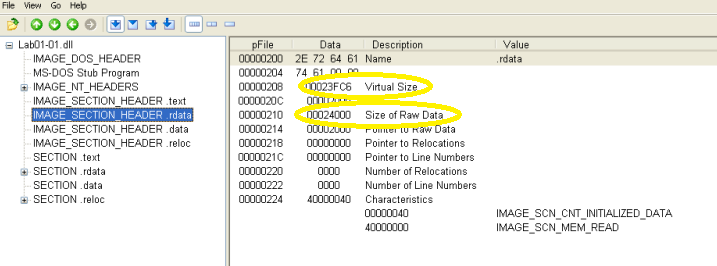
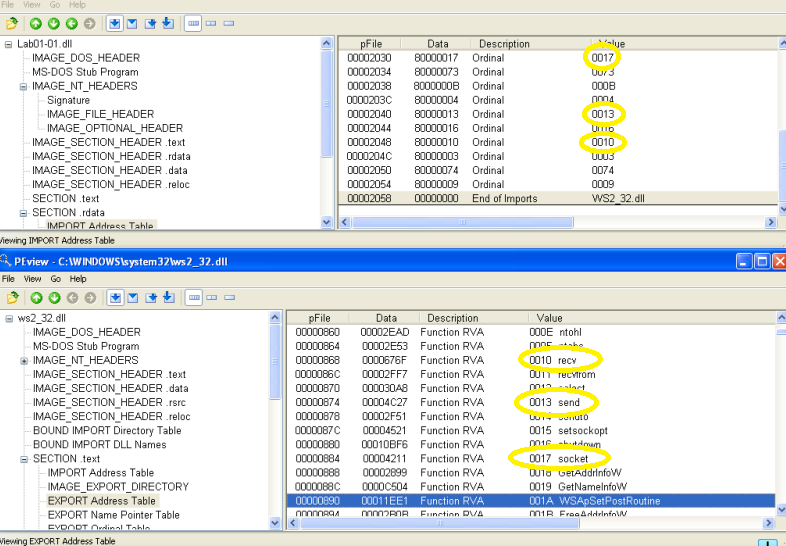
However, there is something interesting in the .rdata IMPORT table from the DLL file. Ten functions are imported from WS2_32.dll, but they are imported by ordinal instead of name, which disguises their purpose. Opening C:\Windows\system32\ws2_32.dll in PEView and looking at the EXPORT table in the .text section allows a cross-reference of the ordinal values and their name. This DLL includes functions for network communication and a few can be seen here:
Do any imports hint at what this malware does?
Looking at IMPORT table from the .rdata section for the executable shows that functions are imported from msvcrt.dll and kernel32.dll. The Visual C-runtime (msvcrt.dll) functions all look pretty standard, but there are some functions from kernel32.dll which show file manipulation functions:
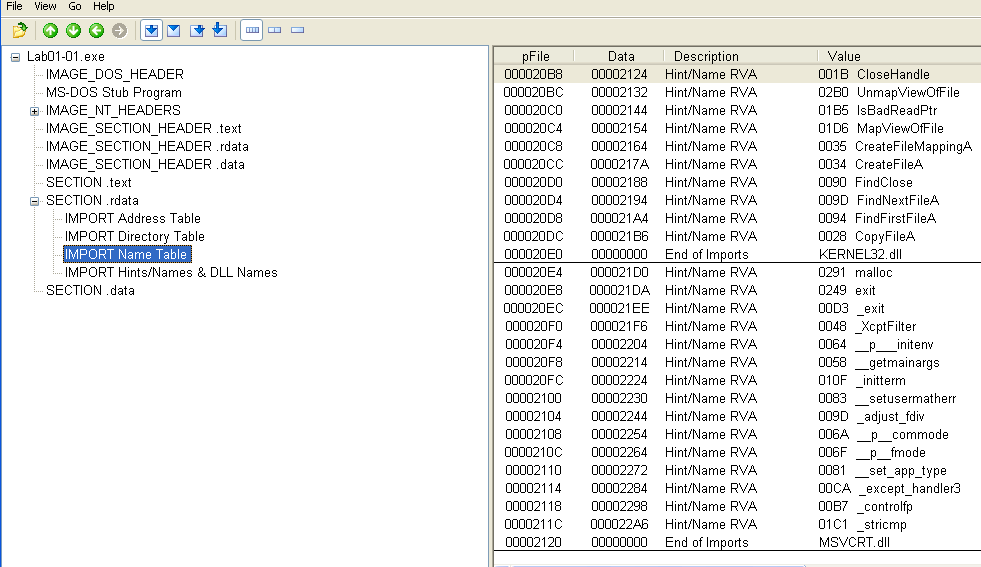
These functions, combined with the obfuscated functions from the DLL identified earlier indicate that this sample has the ability for network communication and file manipulation.
Are there any other files or host-based indicators you could look for on infected systems?
In the .data section of the executable, there is a string "kerne132.dll", with the number one in the name meant to look like a lowercase L:
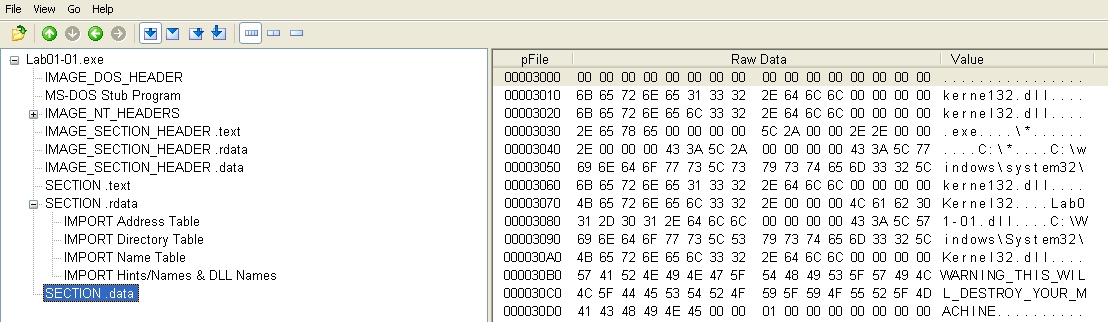
WARNING_THIS_WILL_DESTROY_YOUR_MACHINE might be another good indicator 😂
This filename would be a good indicator for not only this malware, but possibly others as well.
What network-based indicators could be used to find this malware on infected machines?
There is another suspicious string in the .data section of the DLL which looks like an IP address:
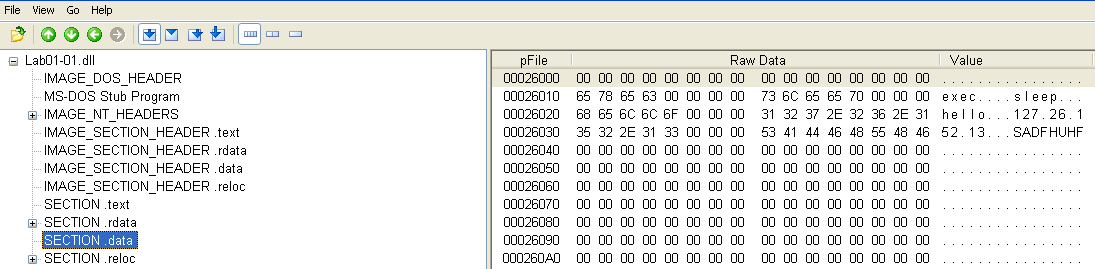
Traffic to/from the IP address 127.26.152.13 would be a strong network-based indicator of this malware.
What would you guess is the purpose of these files?
The executable imports functions for creating, finding, and copying files. This is where the kerne132.dll and system32 path strings are located, leading me to believe that the purpose of this file is to create the kernel32.dll lookalike and copy it to C:\Windows\system32. The included DLL (not kerne132) imports functions for process manipulation and networking communication.
The fact that the executable never imports the DLL and neither file imports the newly-created kerne132.dll leads me to believe that kerne132.dll will import the process manipulation and networking functions from the included DLL. All of these functions combined could be used for a backdoor.
Malware Sample 2
This sample includes just one executable, which appears to be packed.
Questions:
- Upload the sample to Virus Total.
- Are there any indications that this file is packed or obfuscated?
- Do any imports hint at this program's functionality?
- What host- or network-based indicators could be used to identify this malware on infected machines?
Upload the sample to Virus Total.
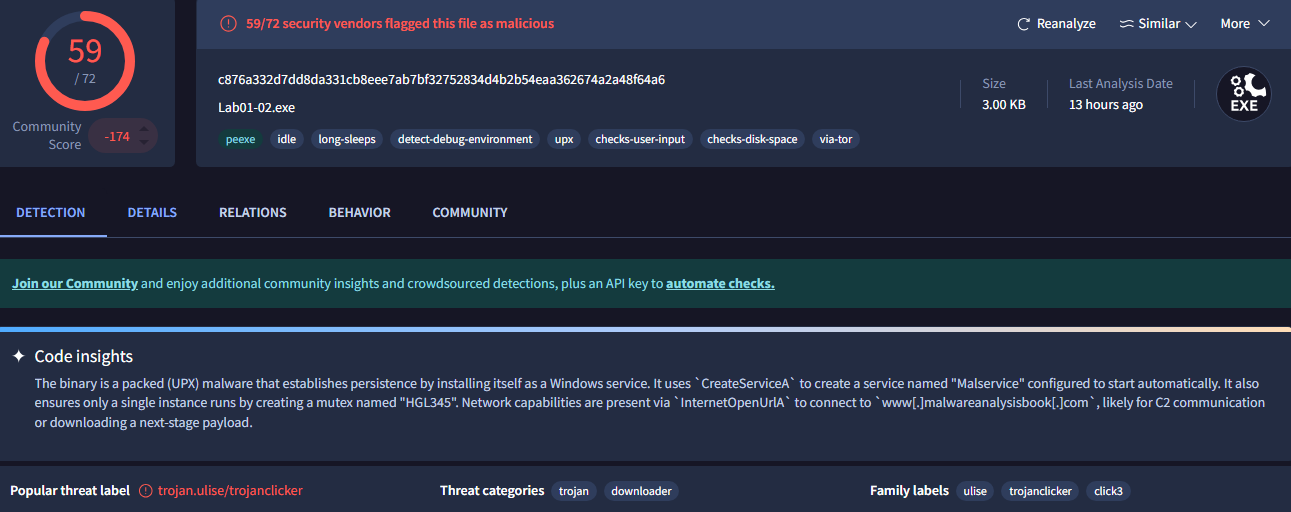
This sample was flagged as malicious by 59/72 vendors:
Are there any indications that this file is packed or obfuscated?
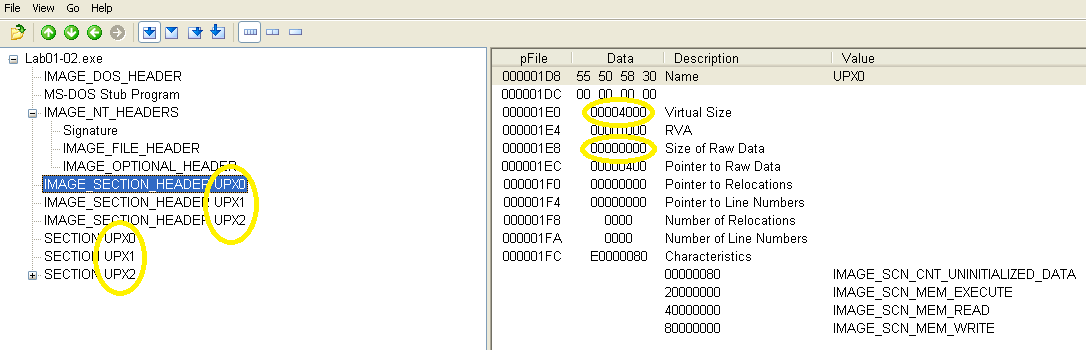
Instead of the usual names like .text, .data, etc., sections have been renamed to UPX0, UPX1, and UPX2, indicating that this sample was packed using UPX. Sections with a virtual size much larger than the raw data size also indicate packing.
Do any imports hint at this program's functionality?
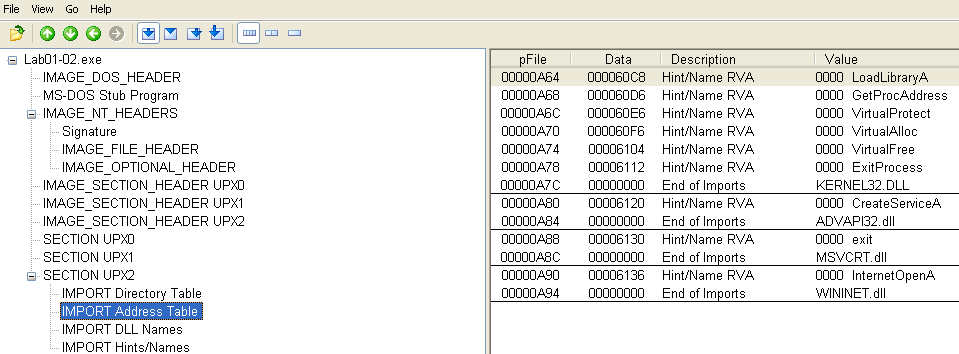
Functions are imported for virtual memory allocation, service creation, and internet connectivity.
What host- or network-based indicators could be used to identify this malware on infected machines?
Because this binary is packed, strings in the .data section are corrupted and cannot be used for identification:
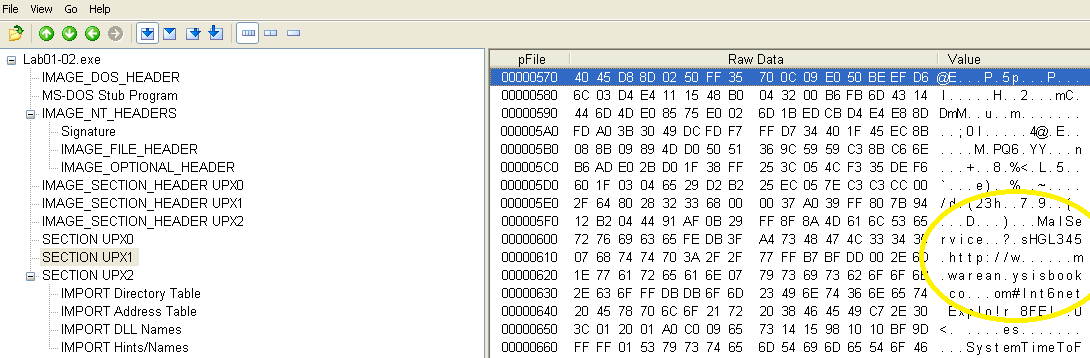
To unpack this file, I was able to download UPX from GitHub and fortunately it still works on XP!
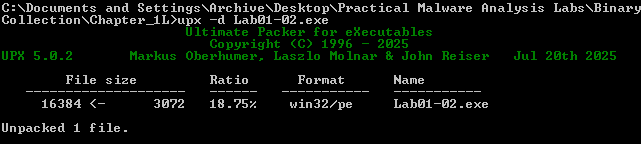
With the binary unpacked, plaintext strings are now visible:

The strings that have been revealed appear to be arguments for the imported functions such as CreateServiceA and InternetOpenA. Indicators used to identify the presence of this sample would be processes named Malservice or network traffic to/from http://malwareanalysisbook.com.
Malware Sample 3
This sample is another packed executable.
Questions:
- Upload the sample to Virus Total.
- Are there any indications that this file is packed or obfuscated?
- Do any imports hint at this program's functionality?
- What host- or network-based indicators could be used to identify this malware on infected machines?
Upload the sample to Virus Total.
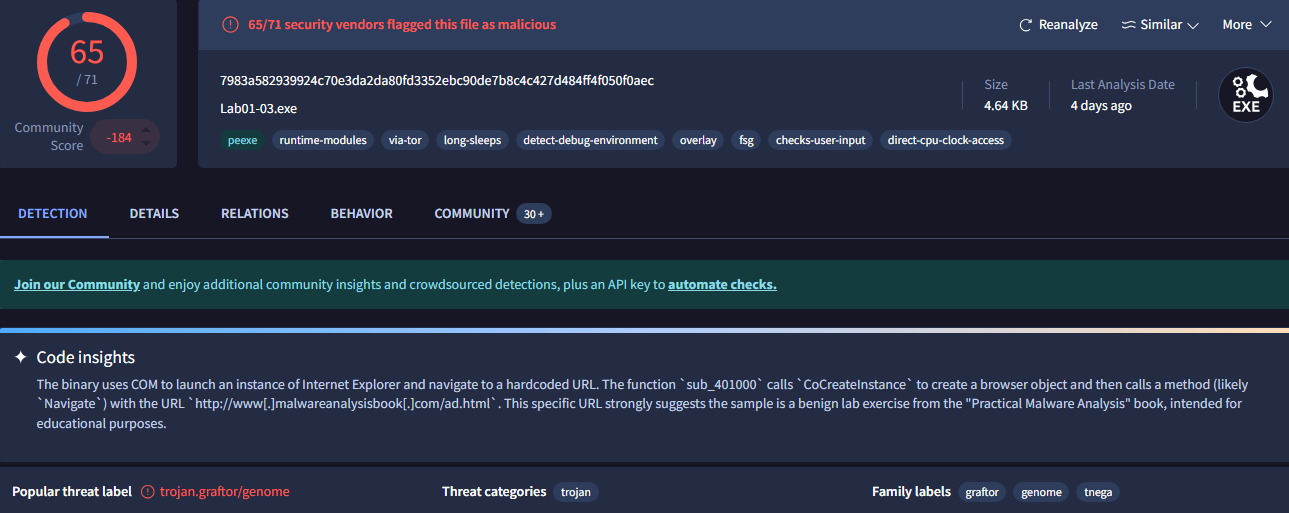
This sample was flagged as malicious by 65/71 vendors:
Are there any indications that this file is packed or obfuscated?
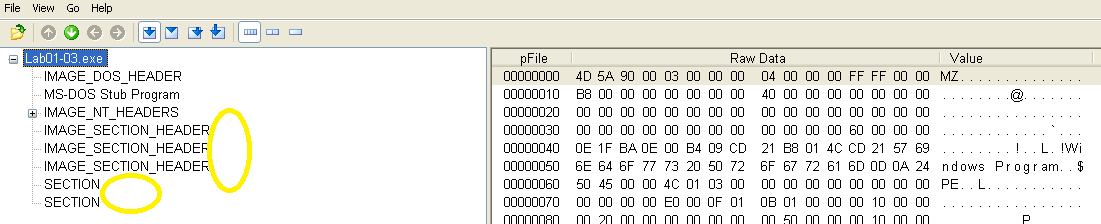
This sample also has sections with virtual sizes much larger than the raw data size. However, on this sample the section names are missing entirely and the packing method is unknown:
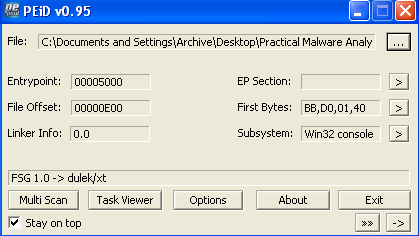
Analyzing this sample with PEiD shows that it is packed using FSG:
Do any imports hint at this program's functionality?
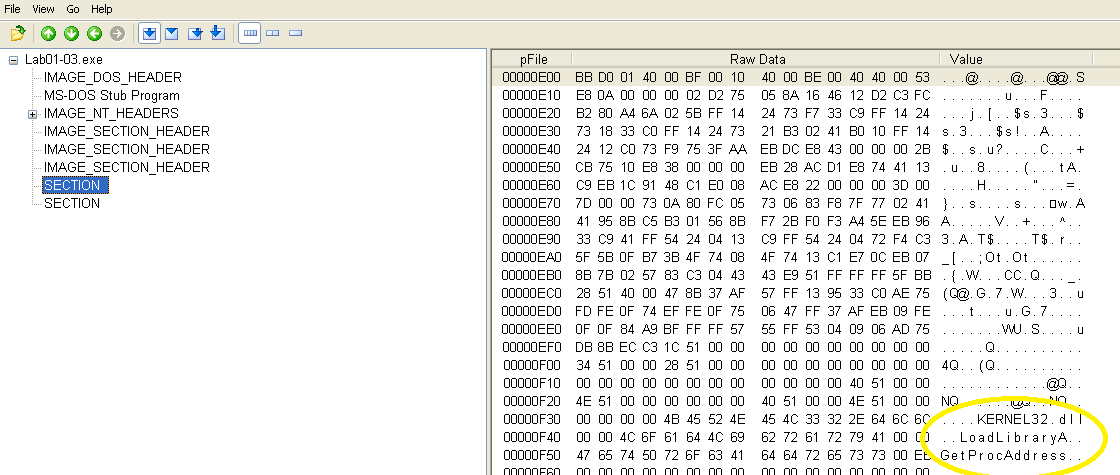
This sample also does not list any imports when viewed in PEView. The only indication of any of its functionality are a DLL name and a couple functions, but not enough to make any sense of:
What host- or network-based indicators could be used to identify this malware on infected machines?
Unfortunately this sample is too heavily-obfuscated to gather any useful indicators and cannot be directly unpacked using the methods learned so far. Referencing the lab solutions for this sample confirms that this was the expected result and that this sample will be re-visited in a later chapter using more advanced analysis techniques.
Malware Sample 4
This sample is an executable which appears to have more functionality than any of the previous samples.
Questions:
- Upload the sample to Virus Total.
- Are there any indications that this file is packed or obfuscated?
- When was this program compiled?
- Do any imports hint at this program's functionality?
- What host- or network-based indicators could be used to identify this malware on infected machines?
- This file has one resource in the resource section. Use Resource Hacker to examine that resource, and then use it to extract the resource. What can you learn from the resource?
Upload the sample to Virus Total.
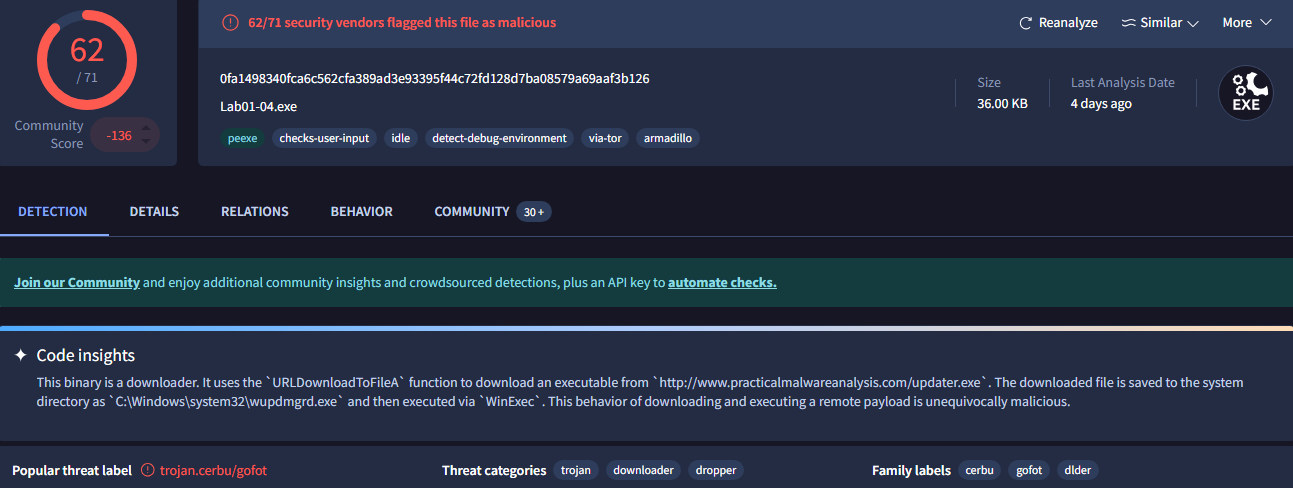
This sample was flagged as malicious by 62/71 vendors:
Are there any indications that this file is packed or obfuscated?
The naming of sections appears normal with no indication of packing when comparing virtual and raw data sizes. There is also no evidence of obfuscation.
When was this program compiled?
This sample was compiled on 8/30/2019:

Do any imports hint at this program's functionality?
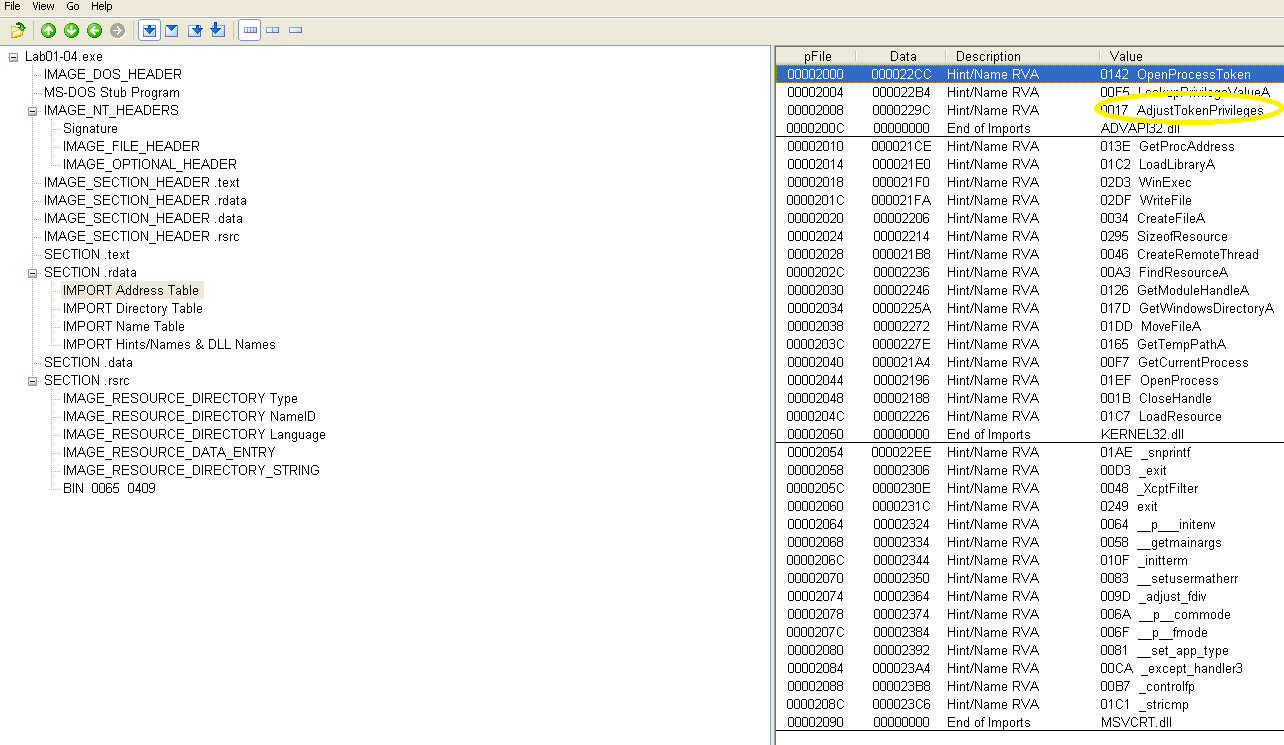
Many of the imports are focused on process/resource/file manipulation. Of particular interest is the AdjustTokenPrivileges function imported from ADVAPI32.dll, which may indicate privilege escalation:
What host- or network-based indicators could be used to identify this malware on infected machines?
Looking at the .data section reveals many concerning targets for the imported functions:
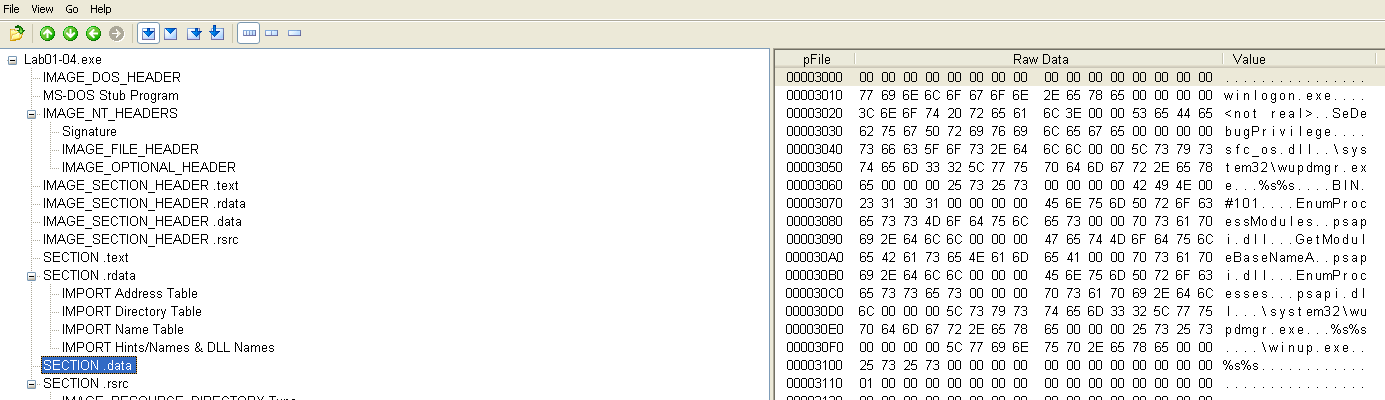
- winlogon.exe - The legitimate winlogon.exe is a system process responsible for user authentication. <not real> may be a clue from the authors of the lab that this is a duplicate created by the malware.
- SeDebugPrivilege - This can be used to duplicate high privilege tokens, which would most likely be used for the process created from the duplicate winlogon.exe. This confirms earlier suspicions of privilege escalation.
- sfc_os.dll - This library is responsible for verifying the integrity of Windows system files. Manipulation of this DLL would be necessary for the type malicious activity assumed so far.
- wupdmgr.exe - This is the Windows update manager and could also be a target for the aforementioned functionality.
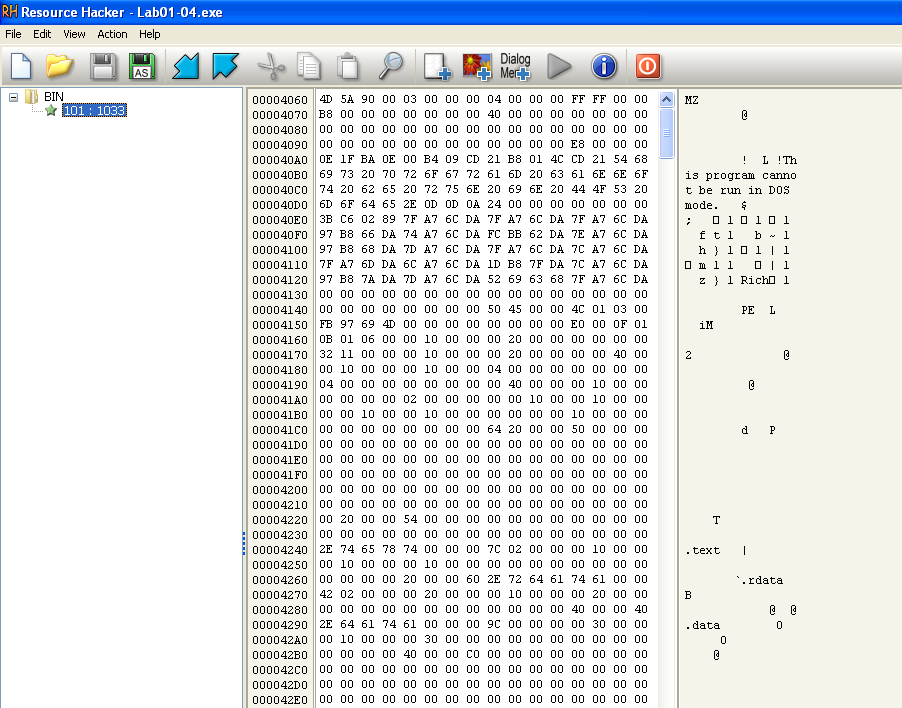
This file has one resource in the resource section. Use Resource Hacker to examine that resource, and then use it to extract the resource. What can you learn from the resource?
Looking at this resource, it appears to be a binary which was embedded:
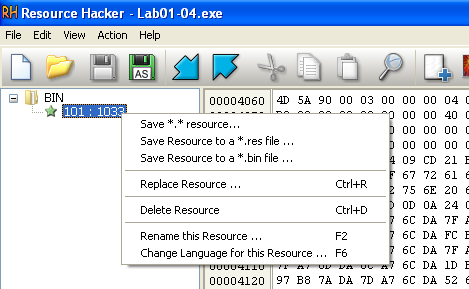
Because of this, I chose to save it in that format:
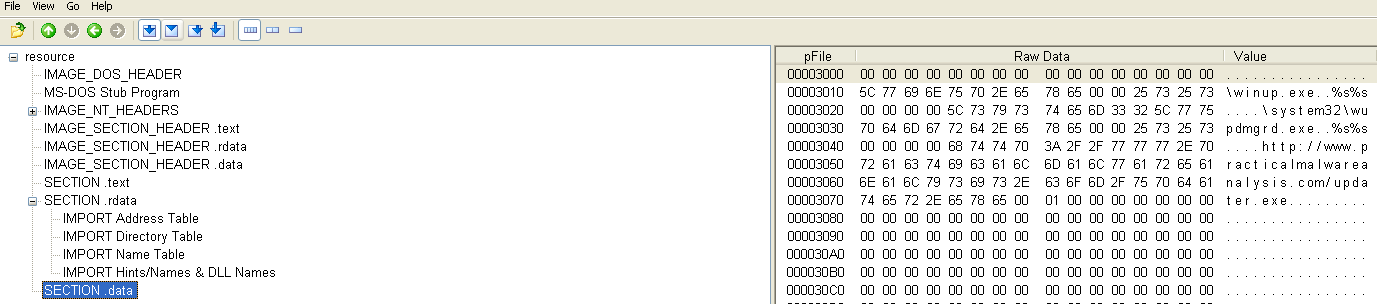
And then open this new binary in PEView, where it can be seen that it downloads and executes a file:
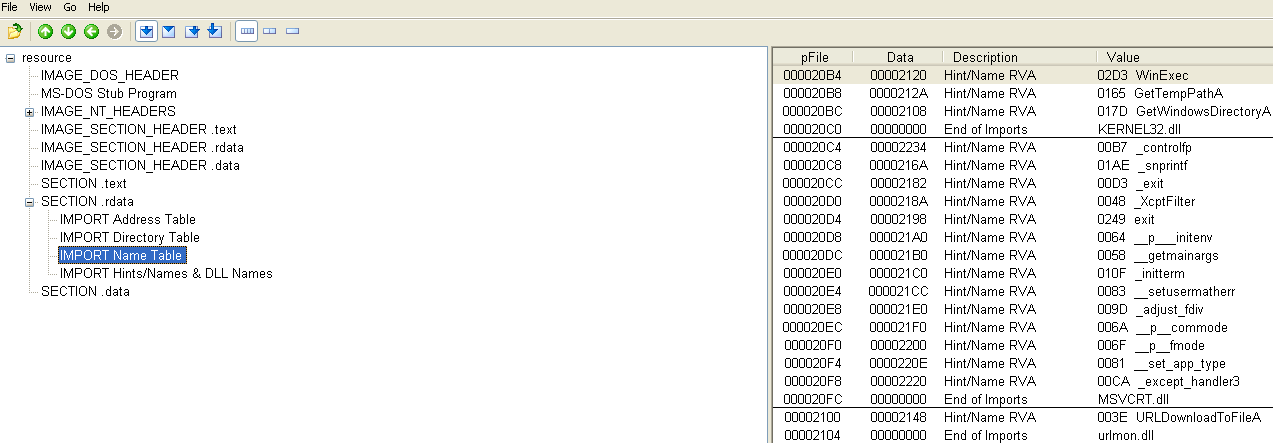
Which is http://practicalmalwareanalysis.com/updater.exe:
Conclusion
And that's the end of the Chapter 1 labs! This was a great overview of PE files and their structure, which was something I had read about in my Malware Analysis course, but getting this hands-on practice really improved my understanding. I am actually happy that I was not able to upload to VirusTotal the first time around because it gives a very detailed description of how each sample works, which would have undermined the learning experience. I'm assuming VirusTotal did not have this functionality at the time PMA was written.