
Kernel-Mode Network Debugging
27 Feb 2026
Chapter 10 of Practical Malware Analysis walks through setting up kernel-mode debugging for Windows XP using a virtual serial cable and VMWare. I do have a Windows XP VM set up for these labs, but due to the compatability issues related to the age of that OS, it is often easier (or even necessary) to use Windows 10. The process for setting up kernel-mode debugging on the newer OS is much different and required some research.
Setup:
Network Debugging
The book uses a virtual serial port to establish a connection between the host machine and guest OS for kernel debugging. I started to follow the outlined process, but noticed WinDbg does not recommend using this method. Since Windows Vista, a new method for network debugging has been developed:
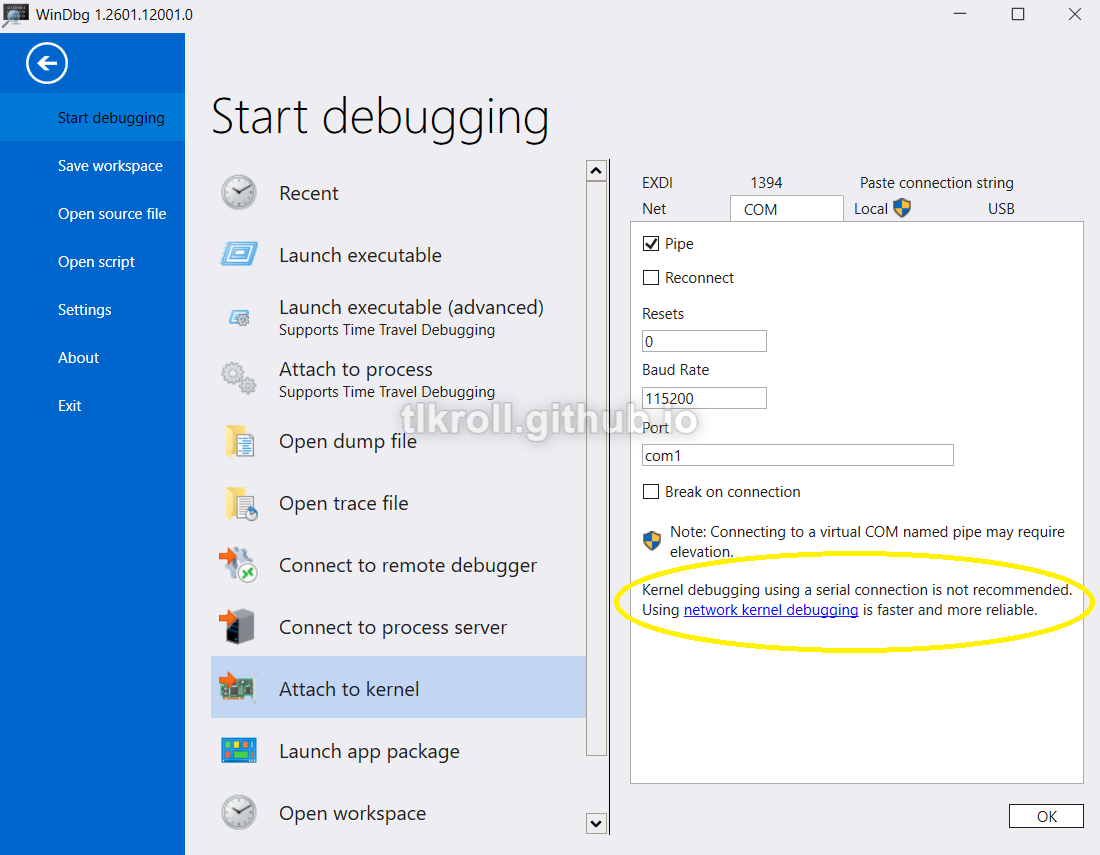
Microsoft claims that network debugging is faster and more reliable, so this seemed like an obvious choice. It's also interesting to note that a serial connection requires elevated privileges, but the network option doesn't. At first this seemed like it was also probably a safer choice, but then I started to think about how this could be abused by malware to either attack the host machine or control another machine remotely. This is something I would like to research in the future.
To set up network debugging, the first step is to select a host-only adapter on the VM being debugged:
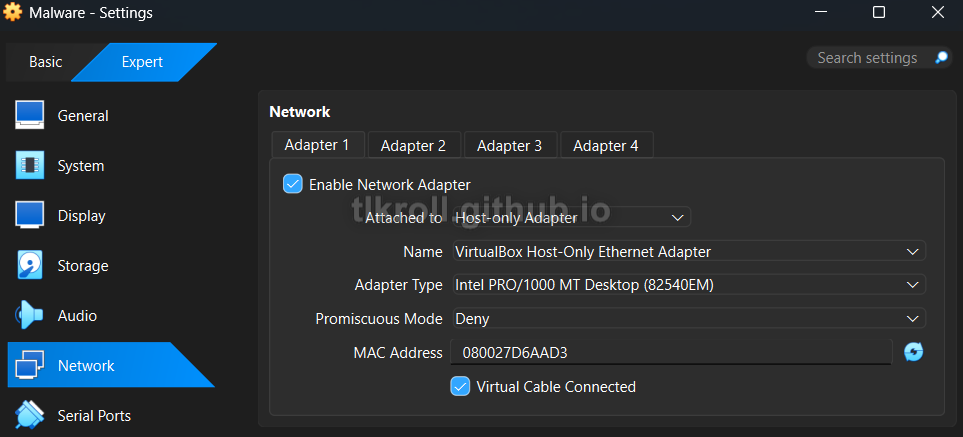
I will come back to the host machine shortly, but first debugging needs to be enabled on the VM.
bcdedit
Another change since Windows XP is that C:\boot.ini is no longer being used. Instead, there is a new utility included with Windows called bcdedit, which is used to edit Boot Configuration Data and is much easier than modifying an .ini file. These two commands are all that is required to set up network kernel debugging on the VM (192.168.56.1 is the default IP address for the host-only adapter and Microsoft recommends using a port within the narrow range of 50000-50039):

This is the only setup necessary on the VM and requires a restart to take effect. The key generated by bcdedit is required to establish the debugging connection with WinDbg so it must be saved.
WinDbg
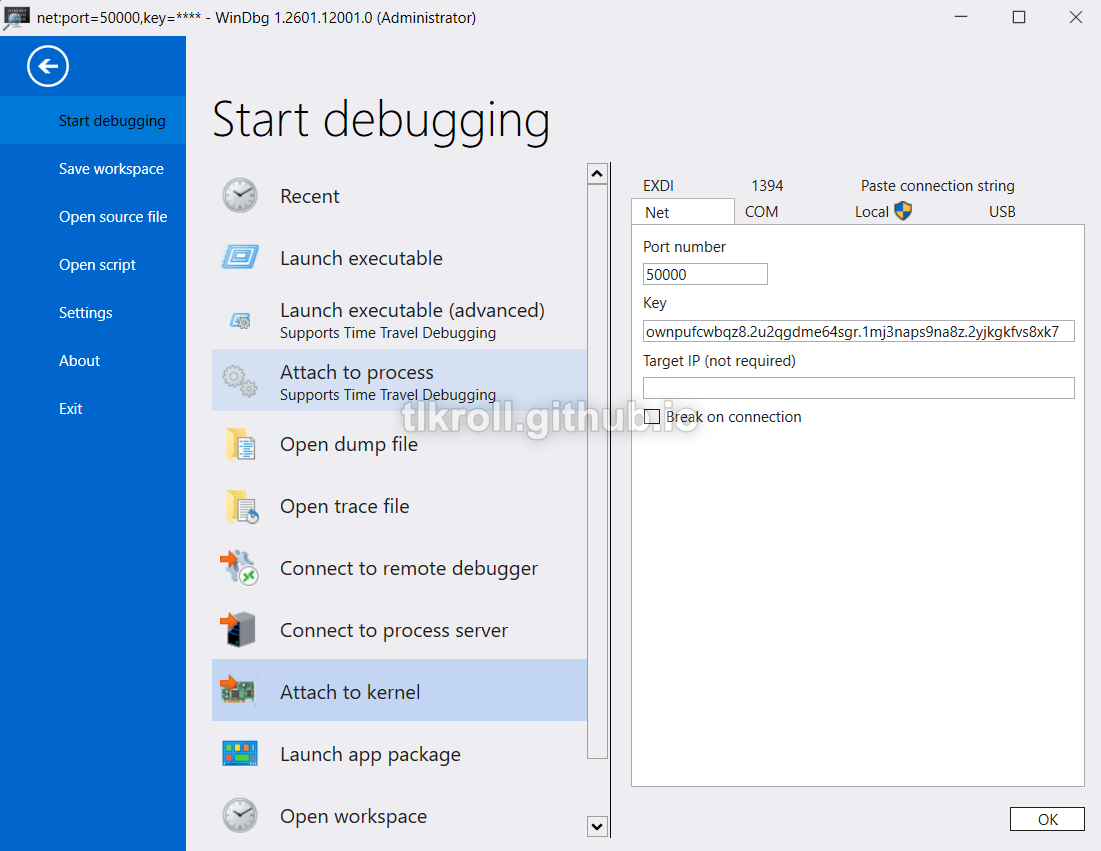
Now the host machine is ready to connect to the VM. In WinDbg under the Attach to kernel option, all that is required is the key that bcdedit generated and the port:
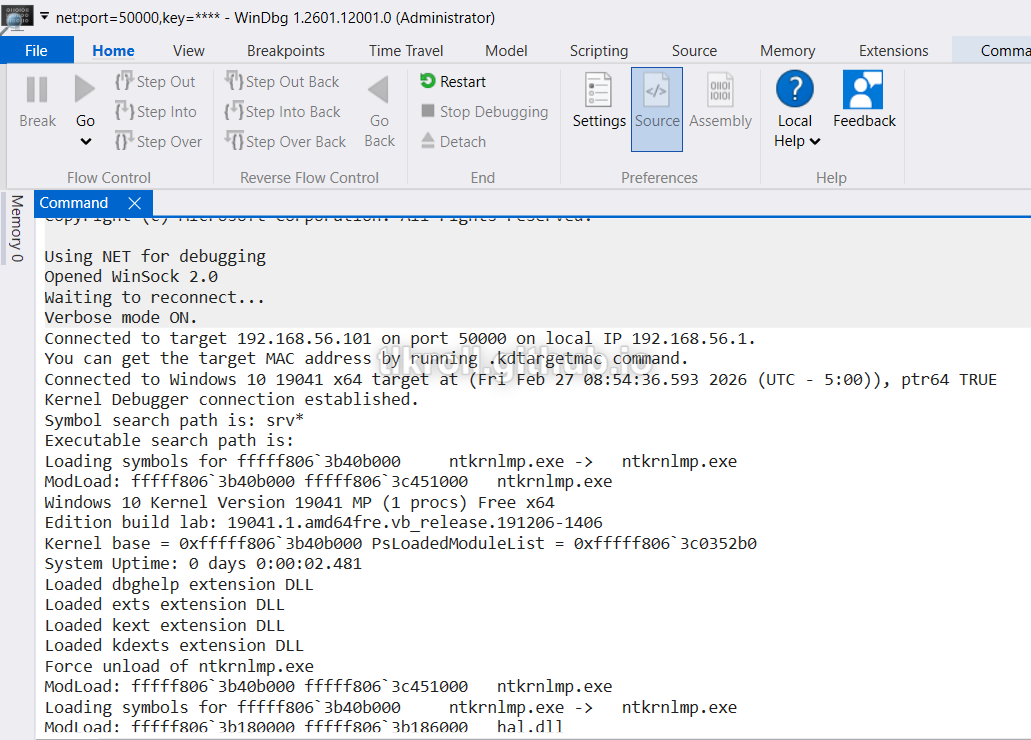
The connection is now made and Ctrl + Alt + V can be used to toggle verbose output, which shows drivers being loaded/unloaded:
Conclusion
It was interesting to discover that there has been a newer and more efficient method developed for kernel-mode debugging than what was shown in Practical Malware Analysis. Some research was required to set this up for a malware analysis sandbox and I hope that this write-up is helpful for anyone else setting up a similar environment. I look forward to taking a closer look at how network kernel-mode debugging might be abused by malware in the future.