
Patching Kernel Drivers
21 Mar 2026
Labs 10-1 and 10-3 from Practical Malware Analysis include drivers which must be copied to C:\Windows\System32. The original drivers were 32-bit and written for Windows XP. Since XP is practically unusable at this point, new 64-bit drivers written for Windows 7 were made available on the PMA GitHub repo. This is again starting to become a problem because I encountered difficulties finding a Windows 7 VM image and the Lab10-03.sys driver crashes on Windows 10. I discovered the source of this problem is hard-coded offsets to Windows structures that change with each version (sometimes more than once per version).
Fixing the Lab10-03.sys Driver:
Debugging the Crash
Stepping through the executable portion of the sample with OllyDbg showed that the crash occurs on the DeviceIoControl call. Setting a user-mode breakpoint on that call allowed me to try various kernel-mode breakpoints within the driver. To obtain a list of the addresses I first had to locate the device object in memory:
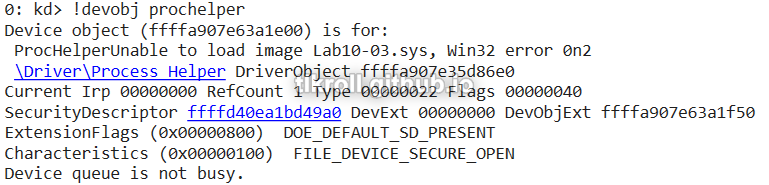
Then, view the details of the object:
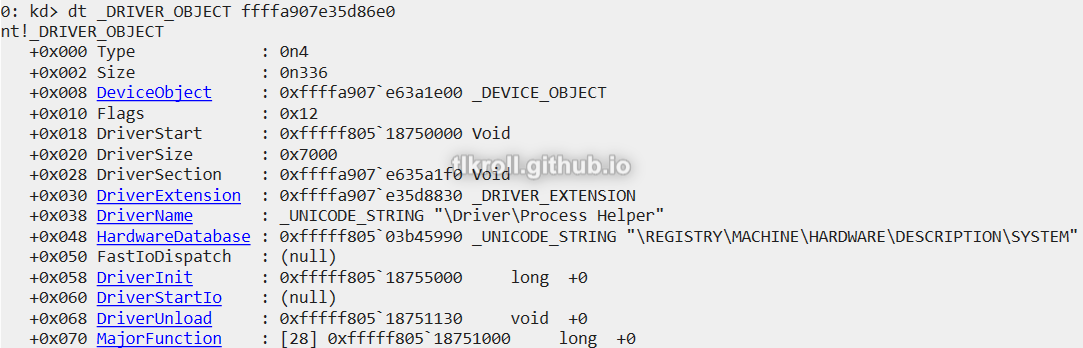
And finally, view the memory at the MajorFunction offset:
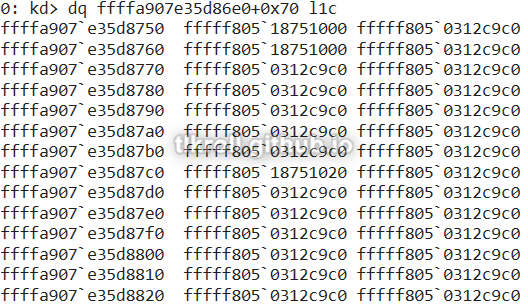
After a few tries, I was able to narrow it down to this function:
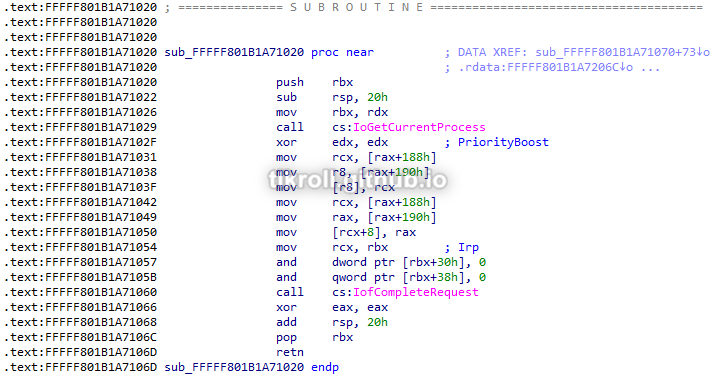
Stepping through the function in kernel-mode revealed the specific instruction causing the crash:
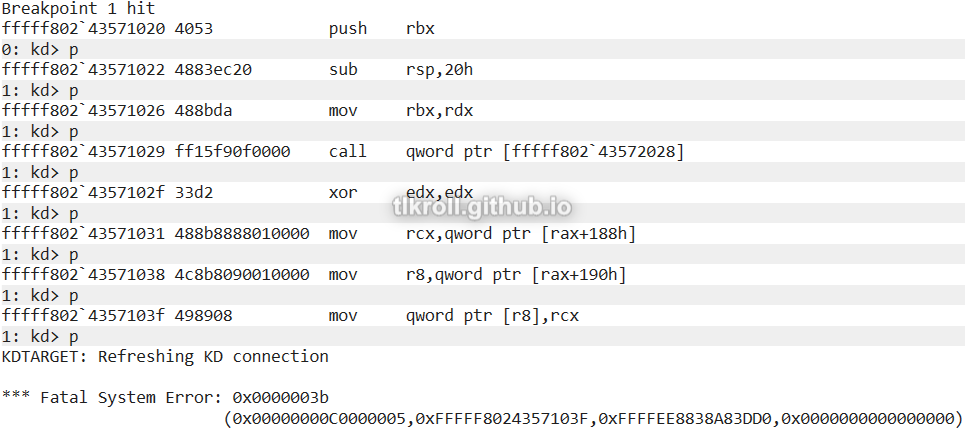
Stepping through a third time, I examined the contents of R8 before executing the instruction:

The driver is attempting to move a value to an empty pointer, which is causing the crash. Why is the pointer empty? Looking back at the function, R8 was last defined by an offset from RAX which was the address of the current process returned by IoGetCurrentProcess. After confirming that call successfully returned a valid memory address, I had to do some research to find out why the offset was empty. What I found is that the offsets being moved into R8 and RCX are pointers inside the ActiveProcessLinks structure of the current process for Windows 7. This structure is a list which holds flink (pointer to the next process) and blink (pointer to the previous process). The problem is that these offsets have changed several times since Windows 7 and the offset in the version of Windows 10 that I'm using is at 0x448:
| Version | Offset |
|---|---|
| Windows 7 | 0x188 |
| Windows 10 1507-1709 | 0x2e8 |
| Windows 10 1803-1909 | 0x2f0 |
| Windows 10 2004+ / Windows 11 | 0x448 |
Patching the Driver
Before patching the driver I had to confirm my suspicions. After the offsets were written, I read the two values located at offset 0x448 which did look like nearby memory addresses. Then I wrote those addresses to RCX and R8 and continued stepping through the function. I had to repeat this a couple times because there are some redundant moves:
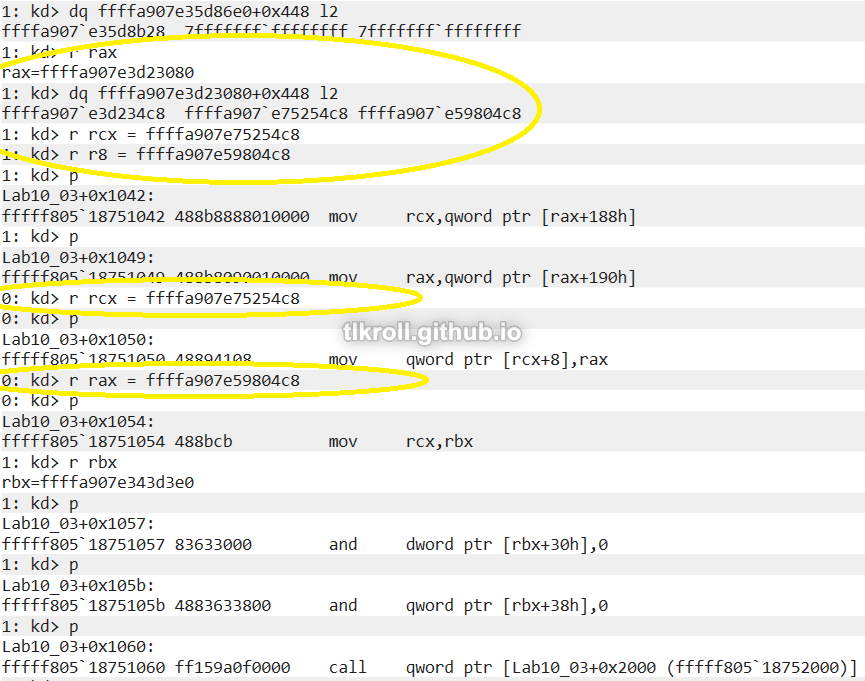
Stepping through got me through the end of the function with no errors! After resuming execution I saw that the malicious program in the VM starting generating pop-ups like it was supposed to and the process was not listed in Task Manager!
Now I had to open the driver in a hex editor and locate the incorrect values:
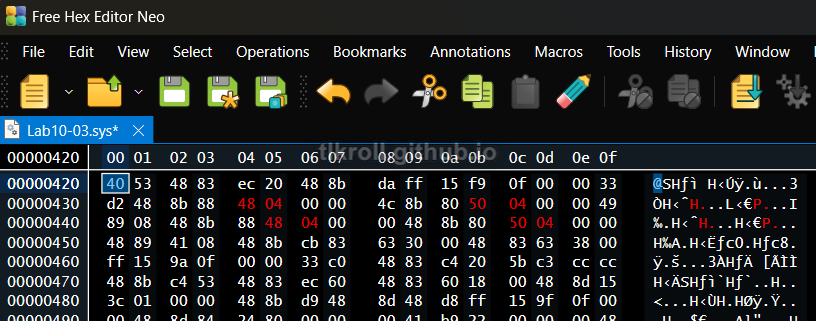
Then, I saved the patched driver and transferred it back to the VM.
Getting the driver to run on the VM was a bit tricky. Patching the binary changed its signature and Windows 10 refused to run it, resulting in File not found errors on StartService. First I ensured test signing was enabled:
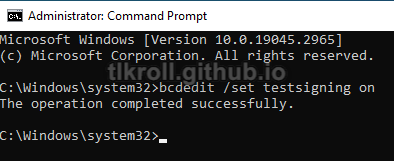
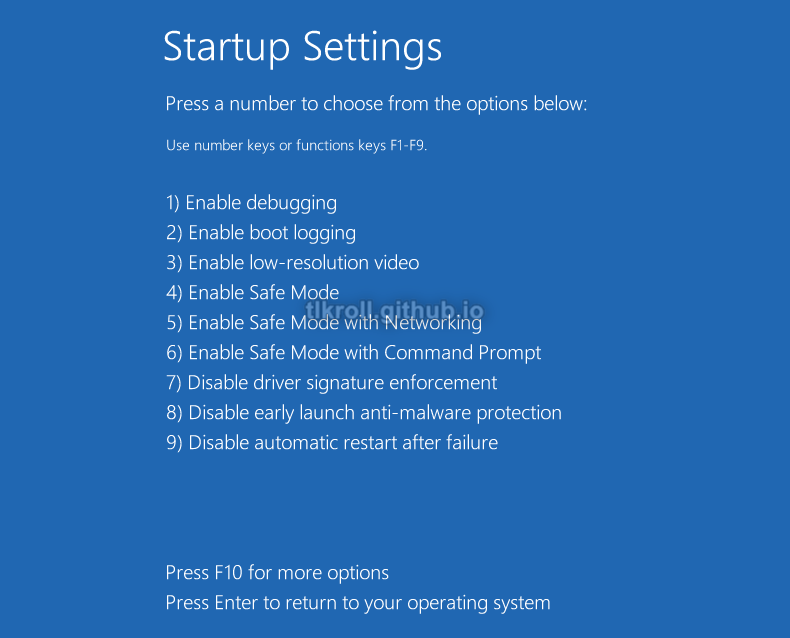
When that didn't work, I had to access the advanced startup settings at Settings > Update & Security > Recovery > Advanced Startup > Restart Now. After restarting, I selected F7 to disable driver signature enforcement after rebooting by selecting Troubleshoot > Advanced Options > Startup Settings > Restart:
After adjust the startup settings, I moved the patched binary to C:\Windows\System32 and stepped through with OllyDbg:

Success! StartService returned a non-zero value and the process successfully disappeared from Task Manager! Unfortunately, execution freezes in the loop when trying to open the URL, but the important thing is that the driver patch was successful.
Conclusion
The hard-coded values in the original driver for Lab10-03 made it difficult to complete this lab initially. Fortunately this gave me the opportunity to get some practice with WinDbg to actually debug and patch a kernel driver! I had originally planned to make the patched driver available to anyone else in my situation, but with all the trouble it takes to get it running it's probably not worth it. Still, this was a valuable experience and I learned a ton.